CoreFlush: TrashClear, a manual Android cleaner for storage management
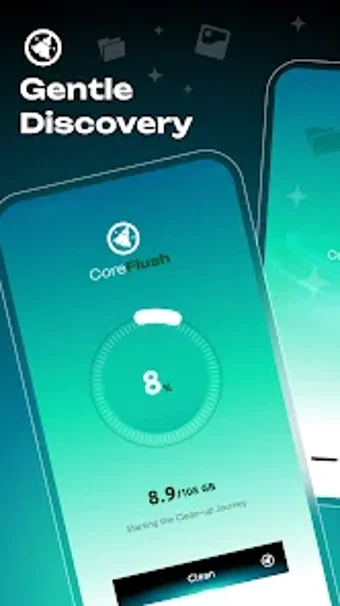
Experience CoreFlush: TrashClear from QUICKCALC LTD, a device maintenance app for reclaiming Android storage and managing notifications. It scans for junk such as ad caches, temporary files, residual data, and large installers, presenting results as categorized 'piles' that users review before deleting. The tool also includes batch app uninstalls, screenshot cleaning, notification blocking, and basic battery and device information displays for quick device checks. It targets Android users low on storage who prefer manual control and clear confirmation before deletion.
How the app organises storage for quick decisions
The app groups clutter into clear piles labelled for typical sources of waste, such as residual data and package installers, turning nested file paths into readable categories. This presentation reduces the need to explore system folders manually. In addition, the scanner highlights large files and identifies old installers so users can prioritise deletions without parsing raw directory trees.
- Residual Data
- Package Installers
- Large Files
Is CoreFlush safe to run on a personal device?
Safety is foregrounded by the app's 'user is the boss' model: it identifies candidates but does not delete without explicit confirmation, which reduces accidental removals. Deep scans require the Manage External Storage permission, a necessary scope to reach public directories and residual caches. The app documents these permission needs so users can decide whether to enable deeper scanning.
Does it require technical knowledge to operate correctly?
The app targets non-technical Android users by presenting actions as simple choices rather than system commands. Batch uninstallation and screenshot pruning are exposed as single-tap operations, yet users should still review identified items before confirming removals. Notification blocking consolidates alerts into a single control panel to reduce interruptions, keeping everyday maintenance accessible for casual users.
What trade-offs should users expect?
The app combines cleaning, app management, and hardware readouts in one place, which suits users who want an all-in-one mobile utility. Reception notes effective scanning but also mentions advertisements appearing in the interface, a common trait of free tools. Compatibility covers modern Android releases generally, though exact version requirements can vary by device. The developer focuses on storage tools, so the app stays focused on cleaning and device checks.
A practical choice for manual-minded users, with one notable trade-off
CoreFlush is a practical option for Android users who prioritise manual oversight when reclaiming storage and reducing notification noise. Its insistence on user confirmation supports safe maintenance, and the developer's focus on storage tools keeps the scope tight. The main trade-off is the presence of advertisements within the free build, which may interrupt the cleaning workflow for some users. Consider running scans during idle hours to reduce interruptions.